Need a copy of your Growsafe certificate?
If you log in to the Growsafe site using the email we have for you, you will be able to see all your Growsafe certificates and you will be able to print any current certificates.
Step 1: Log in
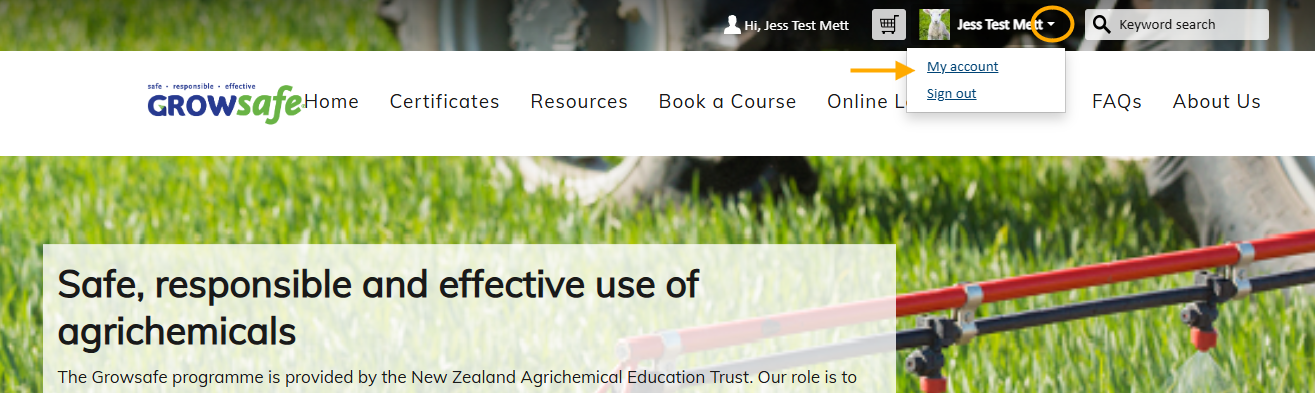
Log in and then click on the down arrow next to your name and choose My account. You will need to use the email that we have in our database for you. If you create a new account, it will be a duplicate record and won't have your previous certificates in it. Contact us at [email protected] if you can't remember your email address or it has changed. Please provide your full name and date of birth.
Step 2: Go to the Certificates tab
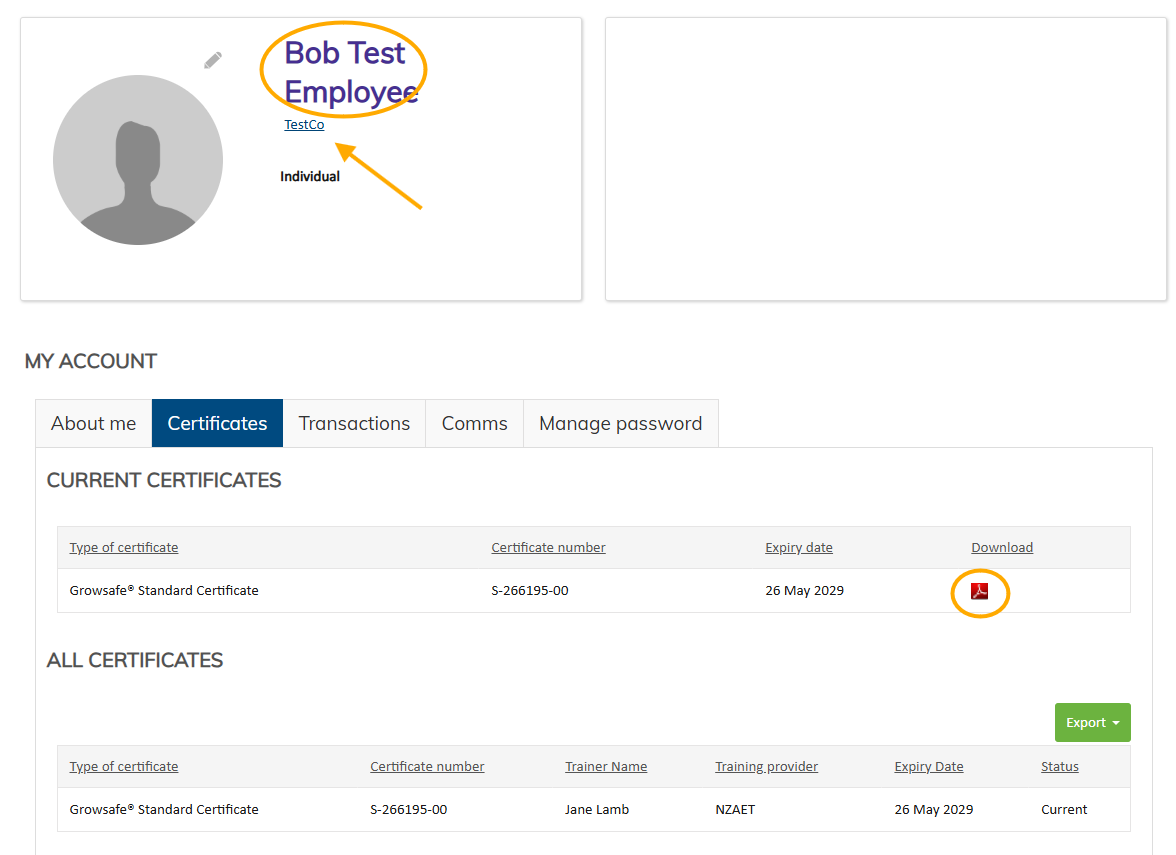
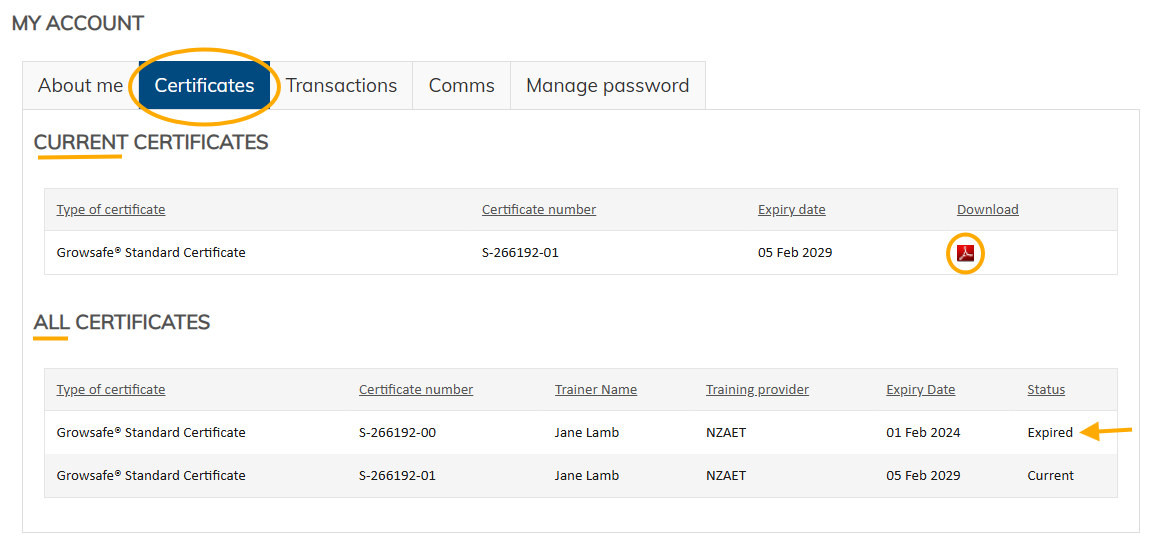
At the top are your current certificates and you can download a copy by clicking on the red pdf symbol. Underneath is a list of all your certificates - current and expired - along with details of the trainer and training provider.
Update your details
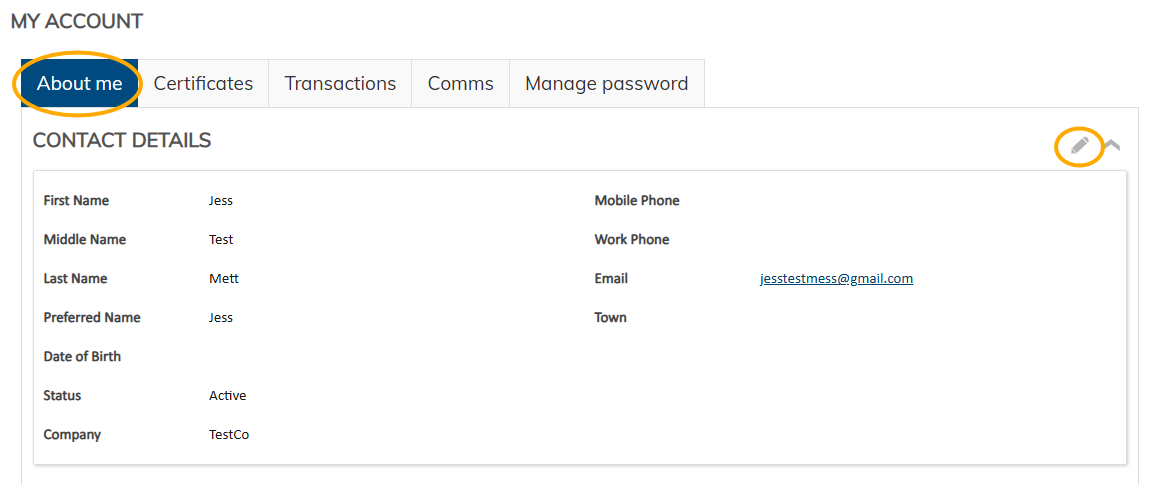
You can update your contact details in the About me tab by clicking on the pencil icon, and also change your password in the Manage password tab.
Extra for Company administrators
If you are responsible for managing Growsafe certificates for the employees in your company, you can apply to [email protected] for Company Administrator level access. This will enable you to see details of Growsafe certificates for all your employees and manage expiry dates. If you are a Company Administrator, you will see a big blue button with Manage CompanyName on the My account page.
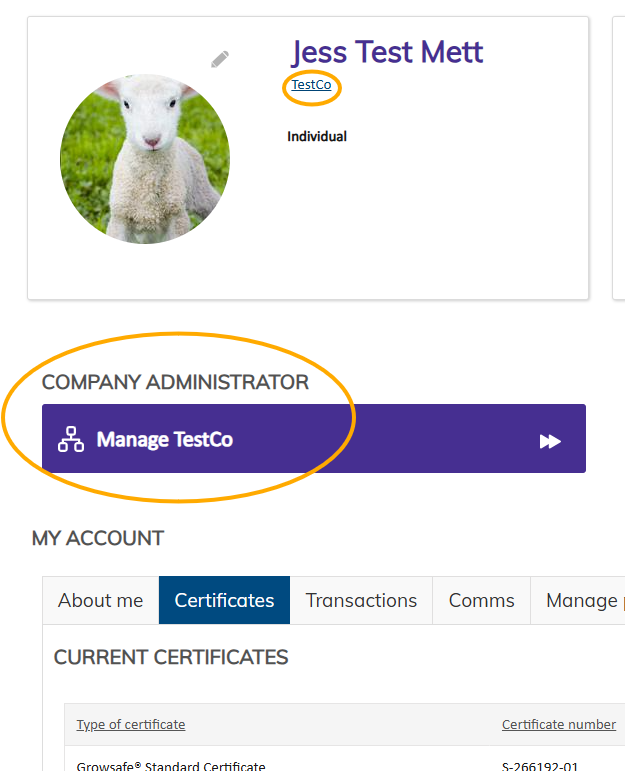
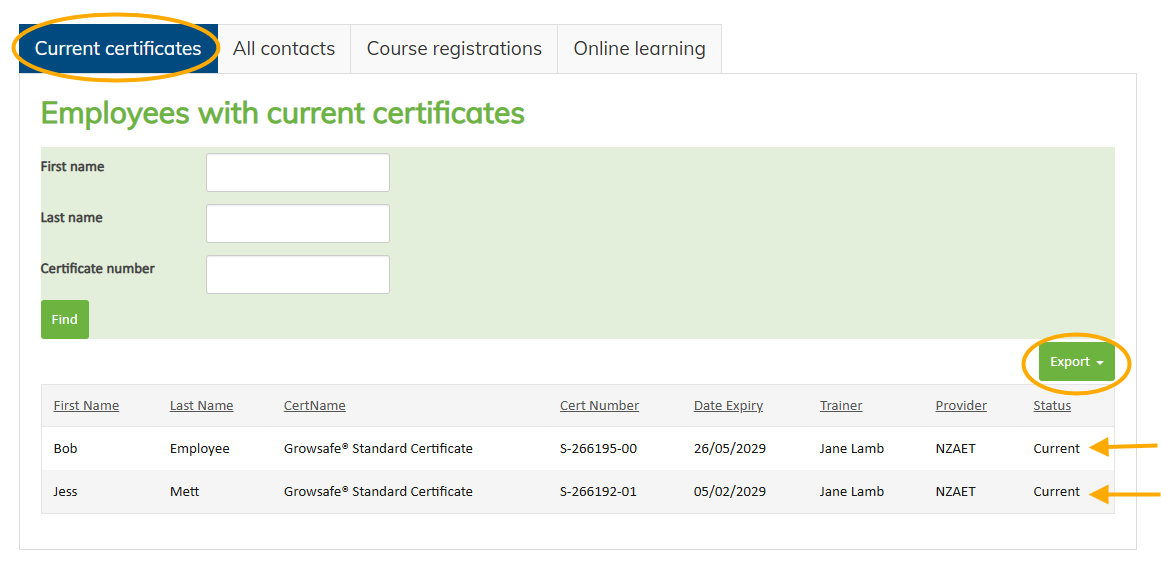
Click on this big button and you will be shown a list of current certificates held by your employees. You can search this list, or sort by any of the fields by clicking on the column header, or you can export the list to a spreadsheet or pdf linked to your company.
The All contacts tab will give you a list of everyone linked to your company including those with expired certificates and administrators or managers. If a contact is no longer with your organisation, you can delete them from this list by clicking on the word Member next to their name and then click on the red cross next to Member role - this will unlink them from your organisation. If you wish to add new employees - email us a list of who should be added along with either their Growsafe certificate number or their date of birth.
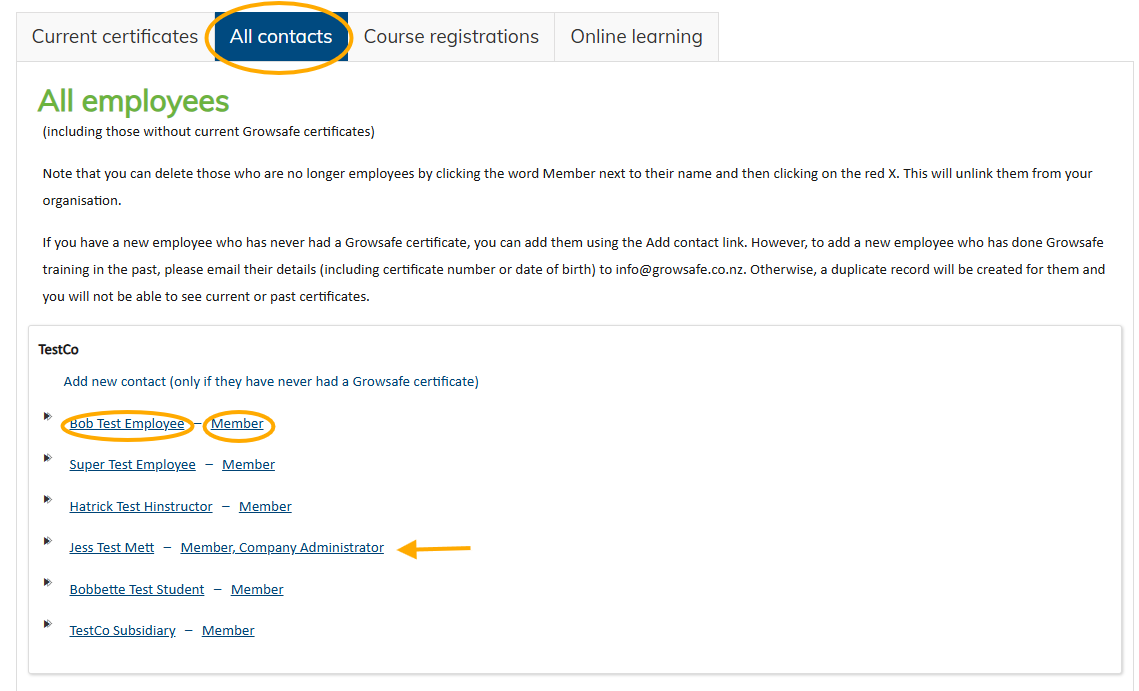
If you click on the name of a company contact, you will be taken to their account page where you can amend contact details, see current and expired certificates and download their certificate. To return to the company page, click on the name of the company under their name, or use the Back button of your browser.